Thursday, 7 March 2013

Windows 8


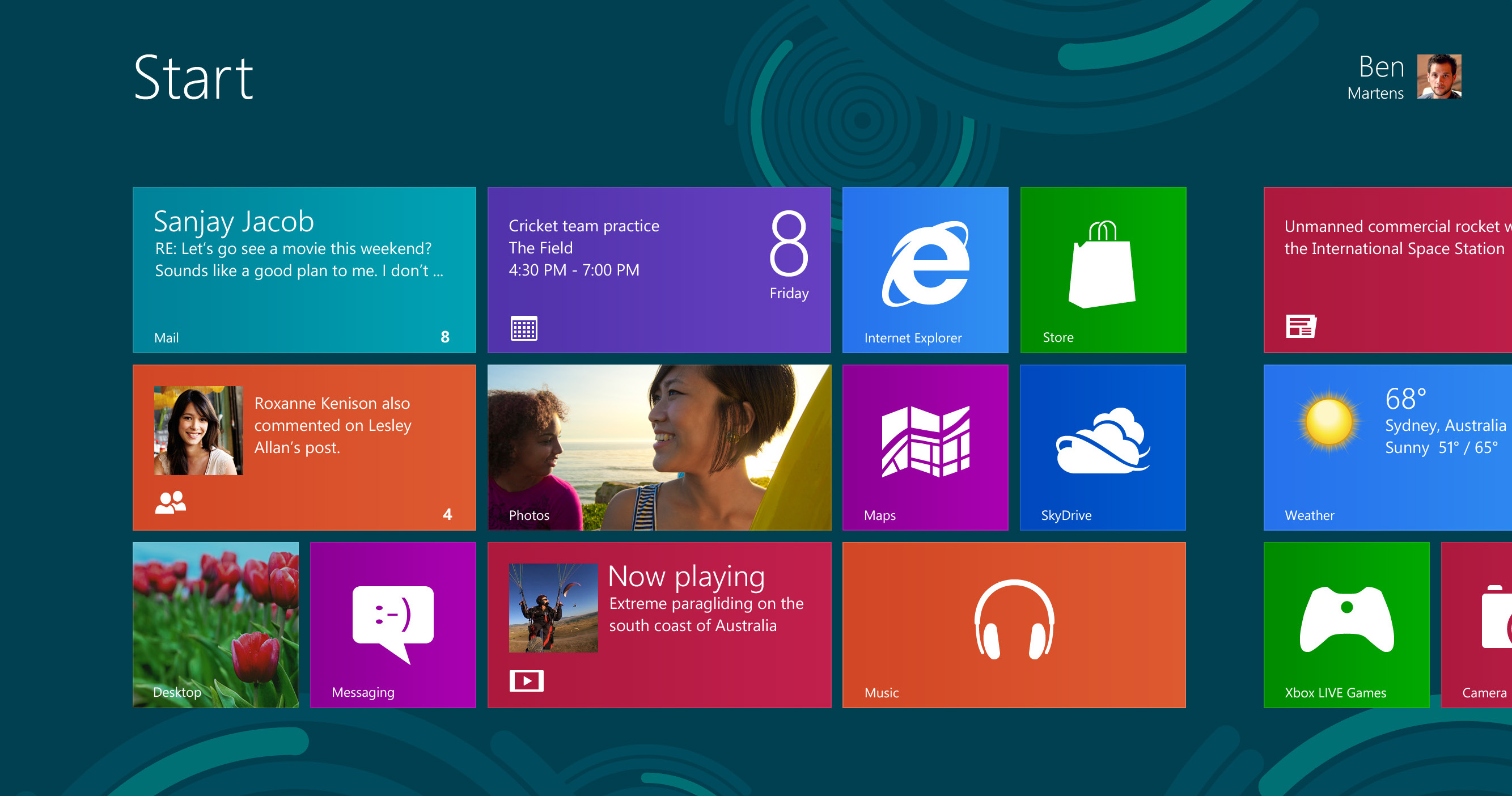
http://www.hideipvpn.com/wp-content/uploads/2012/12/windows8.jpgWindows 8

Now i'm always one to try something new and work with any problems I face but Windows 8 is starting to get me down a bit.

Why? Well some (quite a lot actually) programs just don't seem to run on it, crash on startup with no specific error.

Fortunately, I will always have VirtualBox as my saviour, and very old but trusty Windows XP always does the trick.

Unfortunately having spent large amounts of money putting together a 6-Core 16Gb RAM HD7870 machine it seems a shame to have to run a lot of things in virtualisation. 

I tried a clean install x64 Windows 8 virtual machine which has the same issues

I'm now going to try Windows 7 Professional x64 on a clean install virtual machine. If that works then I'm tempted to revert my own system back to that. Shame, Windows 8 looks good and works fast but I cannot put up with issues with no current workaround.

Thursday, 26 April 2012

Onda Vi40 Android Tablet

imageI’ve just bought one of these after playing around with a smaller tablet and deciding I could justify spending the cash.

The Onda Vi40 specification is as follows:


Screen: 9.7” IPS (Ipad 2) screen running at 1024 x 768px

Operating System: Android v4.0.3 (Ice Cream Sandwich) .

Connectivity: Wi-Fi, HDMI, Mini-USB, Audio Out. Bluetooth supported through USB dongle, 3G through Wi-Fi or USB tethering

Memory: 1Gb DDR3 RAM, 8Gb Internal memory

External Memory: Micro-SD card slot capable of 32Gb extra memory. But also USB socket supports external HDD.

Processor: Allwinner A10 1.5Ghz

Graphics: Mali 400 GPU

Camera: 5MP rear, 1.3MP front

Price was £158 from www.ebellking.com and I must say it is one of the biggest bargains I have ever bought!

Benefits: As you can see from the spec above, it has an incredible spec from a budget Chinese tablet. Onda are one of the biggest in this area along with a rather unfortunately named Ainol.

The tablet lasts the best part of a couple of days on full charge, with Wi-Fi constantly on, push email and games, so eclipses my mobile which is now only used for phone and SMS.

Apart from excellent gameplay, especially Draw Something I wanted to see if it would make a good ‘Office on the go’ so after looking around installed a new keyboard called Swiftkey which has all the major keys available on one key without having to search for them and QuickOffice HD which supports Word, Excel and PowerPoint from 2003-2010 versions. Typing is really easy on screen but I am also ordering a case with built-in keyboard. Review to follow.

I soon realised that the Android market, now called Google Play did not always recognise my tablet, and therefore several apps were not available, or were incompatible. A search around the internet for a market fix soon solved this.

I would thoroughly recommend an Android tablet to everyone, and the Onda is a great example.

Monday, 12 December 2011

Virgin Media TiVo

It’s been a while I know, but I’m back and armed with a few items to post about.

Firstly, at the weekend I had one of these delivered. We managed to haggle our way to a price reduction, free TiVo and faster broadband so smiles all round.

The TiVo box itself is a little bit of a disappointment. I was happy that the old Samsung V+ HD box had a clock / counter on the front, and now we can’t see the time in the dark. This however is the only downside I can find with it (so far).

The EPG is better than the old standard Virgin one, but the buttons take a bit of getting used to on the new peanut shaped remote. It’s a great idea of Virgin’s to include a smaller leaflet for people that have upgraded showing where the equivalent buttons have gone.

I loved the idea of being able to pause live TV and record a couple of shows whilst watching another, and that’s all here too. The great new ideas are the suggested shows, the search facilities and the wishlist.

Suggested shows look at what you like to watch, and make suggestions on what you’d like to record. As you have either 500Gb or 1Tb in your box you can record upwards of 250 hours, so shouldn’t run out.

Search facilities are what they should be. You can start to type in a box and it comes up with a list of shows and people ‘real time’ a bit like Google. You can then series link or record anything that it comes out with. For people, it tells you what else they’ve been in an will set itself to record any upcoming shows with that person will be appearing in.

The wishlist is a great idea. You tell the box what you like and it will record as much or as little of your likes that you set in the options. It allows you to specify only new shows, repeats or both, so I’ve set it up for the new Walking Dead episodes coming up next year.

When you set a program to record, it automatically thinks you like that program and uses that information to recommend others. You also have ‘thumbs up’ and ‘thumbs down’ buttons on the remote for manually liking / disliking.

At the top on the home menu is a dynamic bar of images of shows currently available. As the box gets to know what you like to watch it will filter these accordingly.

One of the main problems with the old cable systems was bandwidth. Regular dropouts or even crashes on catch-up TV plagued the service, which was essentially a great idea. With the TiVo box you get a dedicated 10Mb broadband line sent to it, and it does actually feel much faster.

For those of you that like to skip the ads on recordings, there’s a 30 second skip function so this is ridiculously easy.

Verdict:

The Virgin TiVo box will be another one of those gadgets that I wondered how I managed without, as was the V+ HD box. If you watch most of your TV via catch-up, iPlayer or on demand then this is essential.

Saturday, 9 April 2011

Wacom Bamboo Graphics Tablet

Click here to view full size
I recently came across a Wacom Bamboo graphics tablet (small) in a college jumble sale for £10. The retail price of this is currently £66. Now I already have a tablet but was drawn to how compact this one was, and the fact it would look great on my desk without taking up any major space like my other one does, hence why it is tucked away in the loft. I've been doing some photo retouching work so gave it a good trial.


The cheaper end of the tablet market lacks the sensitivity of the more expensive ones, so they say but I found no problem at all for the fine job I was doing with it, responsiveness was also excellent, so much so that I haven't as yet gone back to using my mouse.

The build is very good with four buttons on the top which can all easily be programmed and a scroll and zoom facility in the middle of them. The tablet area itself is large enough, with a good amount of wrist resting area around it. The pen is rubber coated and feels good. The tip is fine and if you turn the pen around the top works as a rubber which is a great idea. There's the usual two buttons on the side of the pen which can also be programmed.

Overall, this is a better tablet than my other which is some unknown cheap generic but OK tablet. and because of its size I will keep it plugged in and therefore hopefully earning its keep. At £10 it is an absolute bargain, but even at full retail cost there is no trouble justifying the outlay.

Monday, 19 April 2010

Nokia BH-503 Stereo Bluetooth Headset

I needed to buy another set of headphones as my regular wired ones were falling to pieces, having being pulled off the table several times by my toddler son tripping over the wire.

I decided to give wireless a go, but after seeing some in action a few years ago was a little sceptical. Those were actual wireless headphones which included both a transmitter (mains powered) and the phones themselves. They looked like something a Cyberman might wear, sounded poor, had poor range and ran out of charge in a couple of hours. As I needed these for both my PC (which is my Hi-Fi now) and possibly my phone, Bluetooth seemed the answer.

The Nokia BH-503 phones have good reviews, and can be picked up relatively inexpensively on ebay (around £15). Some complain that the volume is too low, maybe those reviewers didn't find the volume controls on the side. As well as volume +/- there is also track forward and back, play/pause and a 'multifunction button' which turns the phones on or off, and answers or hangs up a call. The specs tell me that they last for around 10 hours continually on a full charge of an hour and a half, and a day of standby which is plenty for my use.

Not having worn headphones before that wrap around the back of the neck, I did wonder if these would be comfy, but having thoroughly tested these for a couple of days there are no problems there. The only downside to these, which is minor but yet still niggling is the blue flashing light whilst on which reminds me of the yuppie salesman sat in his sportscar showing us he is the man with it all.

Yes I do like gadgets, but I'm no yuppie so a small piece of black electrical tape will be strategically placed over it!

The Nokia BH-503 phones Have good reviews, and dog Relatively inexpensively be picked up on ebay (around £ 15). Some Complain That the volume is too low, maybe Those Reviewers Did not find the volume controls on the side. As well as volume / - There Is Also track forward and back play / pause and a 'multi-function button' Which turns the phones on or off, and answers or hangs up a call. The specs tell me that They last for around 10 hours Continually on a full charge of an hour and a half, and a day of standby Which is plenty for my use.

Sunday, 18 April 2010

Taking the Leap Forward to Android

Well, after several years of windows mobile phones thinking they were far superior to anything else on the planet I finally woke up and smelt the latest (well, last year latest) brand of electronic coffee delivered by those ever so clever people at HTC called the Hero. All these years I thought I was one step ahead of the mobile crowd, everyone except the IPhone bunch, but they were too expensive and not very customisable.
The Hero actually uses a far superior OS to windows called Google Android which has been developed as open source. There is a similar place to the app store called the app market, the difference being that most of the Android apps are free. Instead of all the programs and settings being on the main screen, as with the IPhone these have been placed at the touch of an on-screen  button whilst the (seven!) home screens are left to background images with customisable widgets on top.

One of the main pulling points of the IPhone is the speed of response to touch, something all my windows phones either coped with in a rather ugly fashion or absolutely struggled with. The Hero is blindingly fast, boasting the same capacitive screen as the IPhone and plenty of RAM, ROM and CPU speed to cope with the many useful apps you may wish to install, such as the barcode scanner, or Zombie, Run. The Hero also comes with Bluetooth, GPS, Wi-fi and HSPDA so connectivity is covered. I have also easily used mine via usb cable as mobile broadband for my laptop whilst on holiday.

Whilst I'm mightily impressed with the hardware, it's the software that hooked me most as now finally we may have an operating system that has ongoing and frequent development, meaning we can hold on to our mobiles for that bit longer and just load the updates.